
Openclawd AI: The “Open Claw” That Gives You Full Mobile Control
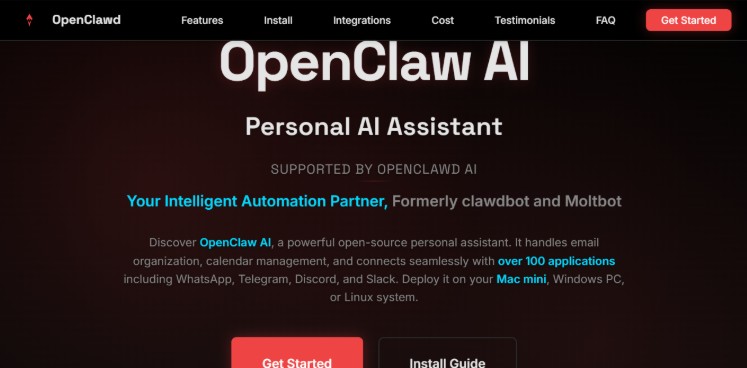
Is Openclawd AI safe anyway? That’s the tea everyone’s sippin’. We’re breaking down those privacy concerns and the absolutely insane openclaw permissions of this viral AI agent.
The AI Interface Wars: Why Openclawd AI is Moving to Your DMs
Openclawd AI jumps right into your WhatsApp or Telegram like it belongs there. You don’t even have to open a browser tab; just message it like you would your dealer or any other contact you probably shouldn’t have.
What the hell is Openclaw anyway? First came Clawdbot, then Moltbot, and now—Openclawd AI, or just “openclaw” for the lazy folks. Like some lobster out there having a mid-life crisis glow-up by shedding its shell, Openclawd AI gets that vibe, growing smart without all the ancient baggage. “Open claw” is just the nickname that stuck; kinda like when you call your massive, soul-eating pitbull “Fluffy” just to feel better about yourself.
Why even bother with messaging apps if there are desktop tools such as Cherry Studio? Because Openclawd AI brings the entire party to your phone. No need to sit at a desk like a productive member of society. Openclawd AI lets you boss your PC around from literally anywhere. It is a cool agent waiting and lurking in your chats until you call on it, but its permissions are straight-up wild—more on that drama soon—but yeah, this new app puts serious change into play: making artificial intelligence seem just one sketchy text away.
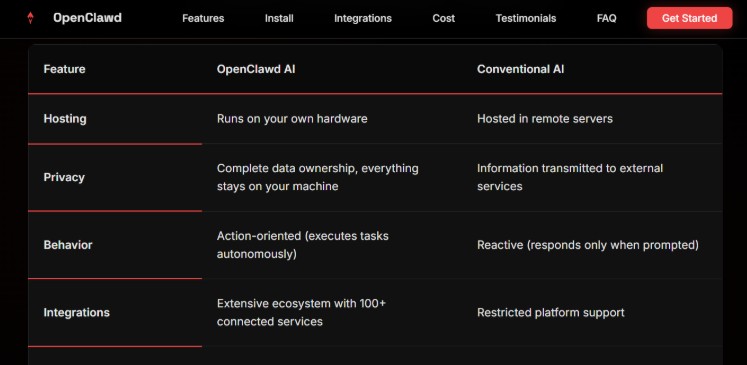
Desktop Dudes vs. The Openclaw Agent
Let’s compare Openclawd AI to those desktop dudes, Cherry Studio and Chatbox. It’s like comparing a lazy, depressed cat to a hyperactive puppy on an espresso bender.
First, let’s talk passive versus proactive. Desktop clients are passive AF. You have to initiate every single conversation like you’re doing all the emotional labor. Openclawd AI? It is the first to wish you “Good morning, sunshine” or start nagging you about a deadline long before you even remember it—yes, Openclawd keeps chatting without being prompted by your lazy ass.
And then there’s the terminal power. Open claw is not just another boring chat box; it’s a direct gateway to your machine. Run shell commands, check logs, execute scripts—all from your mobile device while you’re in line for a burrito. Openclawd AI makes your phone into a remote wizard wand. Desktop tools feel like they’re under house arrest in one location.
| Feature | Desktop Clients (e.g., Cherry Studio) | Openclawd AI (aka openclaw) |
| Interaction Style | Passive – you start it | Proactive – it messages you |
| Access Level | Basic chat | Full terminal, scripts, logs |
| Memory | Session-based silos | Cross-platform persistence |
Persistence is the real MVP here. There are basically no silos because Openclawd AI just remembers every damn thing across WhatsApp, Telegram, and web-sessions. It’s mostly the desktop clients that behave as if sessions were islands of memory with goldfish-level recall. Openclaw AI and open claw make sure your history sticks to you like a bad reputation, no matter where you log in. See? Openclawd AI wins for the mobile crowd. Openclaw permissions give it that edge, but you better watch those privacy bits.
Real-World Case Study: Managing a Career from a Bar
Okay, story time. You are out grabbing coffee and suddenly get pinged by your boss for the Q4 report you haven’t even started. No biggie with Openclawd AI. Simply send a message to the openclaw agent: “Find that Q4 crap and email it to the boss.” Consider it done via your linked desktop. Open claw knows its way around your files better than you do.
Automated workflows? Oh, hell yes. Consider a developer babysitting servers all day and all night. Script falls over at 3 AM? Openclawd AI hits WhatsApp with the error log plus a “Hey dummy, have you tried this?” No more crawling out of bed in your underwear to check the logs. Or finance humans—need to track every cent spent on overpriced lunches? Send a quick voice note over Telegram. Openclaw writes it down in a local .md file. Boom. Done.
- Developer Life: Openclawd AI watches your code. Bugs appear? You get a notification plus a suggested patch before you can even complain.
- Admin Hustle: Schedule meetings via chat. Openclaw pulls your calendar and books slots while you’re ignoring emails.
- Freelancer Flex: Invoice reminders. Openclaw AI scans your messy emails and flags due dates so you actually get paid.
All this happens with those open claw permissions. But again, is Openclaw AI safe? Those powers could bite your ass if you’re not careful. Openclaw keeps data local, though—that’s a massive plus for the paranoid.
What’s the Catch? The “Open Claw” Permission Proof
What can it actually do when you hand over the keys? Here’s what it attempts when run in a demo Gmail account:
- Reads all your messy email threads
- Downloads attachments and random files sent as links (Google Drive/Dropbox)
- Creates replies to emails proposing calendar slots for meetings based on another AI that’s snooping through your calendar.
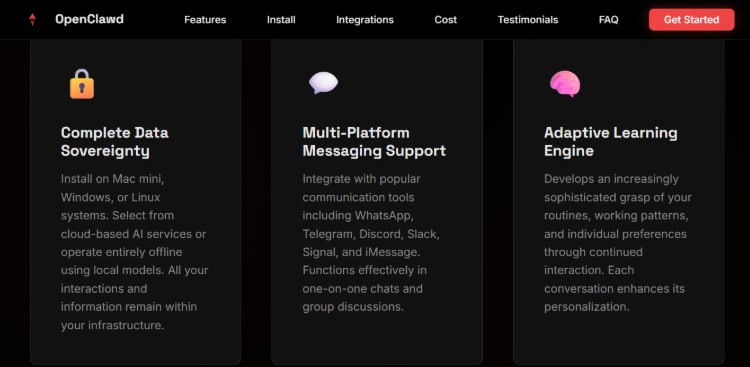
That’s the proof of concept right there. The developer mode obviously enables even more chaotic testing. Let’s get real about what openclaw can do. Openclaw AI needs wide access to become your digital assistant sidekick. It gets into your file system and terminal.
Openclawd AI makes it smooth as butter. But yeah, those permissions—that’s why people keep asking: Is Openclawd AI safe? Those privacy concerns are the elephant in the room.
The Privacy Trade-off: High Stakes for WhatsApp Users
Allowing Openclawd AI terminal access through WhatsApp is powerful — but comes with high risks. In case some script-kiddie hacks into your WhatsApp account they will be able to control your PC as well since open claw permissions mean opening the front door wide and leaving a “welcome” mat.
How do we chill down these risks?
- Run as a non-privileged user. That keeps the damage minimal if things go south.
- Sandbox. Box in the AI’s reach so it doesn’t wander where it shouldn’t.
- Keep it private. Do not create any public groups; keep your chat 1-on-1 unless you want the world in your business.
Is Openclawed AI safe? That depends on you champ. Those powerful permissions make it a beast, but privacy concerns are real. The open claw agent went viral because it’s handy, not because it’s flawless.
Cost vs. Performance: The Reality Check
Openclaw is free and open source, but it’s a BYOK (bring your own key) situation. You still have to pay for the API tokens from Anthropic or OpenAI because openclaw ain’t paying that tab for you.
Hardware requirements? It runs on pretty much any potato PC. Power users prefer always-on setups like a Mac Mini so openclaw stays ultra-responsive 24/7. You can even swap models—high-end options like Claude 3.5 Sonnet if you want it smart, or super cheap local models if you’re a broke student. Find the right balance between cost and speed!
| Aspect | Pro | Con |
| Cost | Free core, pay for APIs | API fees add up |
| Performance | Swap models easily | Needs decent hardware |
| Open Source | Customize away | Setup takes time |
It’s a potential goldmine for hackers on a budget if you’re not careful. Openclaw permissions boost its value way above the rest, but at what cost to your privacy? Is it safe? You be the judge after considering all those sketchy concerns. Budget hackers love it and that’s why they spread the word. Real virality! It’s powerful and fun, but risky if you don’t use your brain. That’s why this article made you aware before letting you dive in. Peace out!